The 10 Presentation Tips That Actually Matter
- Start with their problem, not your introduction
- One idea per slide/section—maximum
- Show the journey, not just the destination
- Include your face and voice
- Make the complex feel simple
- Let them explore, don't force them to follow
- Prove you listened—reference their exact words
- Address the elephant in the room
- Make the next step impossible to miss
- Track what happens after you present
Now let me explain each one.
The Mindset Shift
Before we dive into tactics, understand the fundamental truth:
Clients don't buy design. They buy confidence.
Your presentation's job is not to show your work.
It's to make clients believe:
- You understand their problem
- You can solve it
- Working with you will be good
Everything else is decoration.
Tip 1: Start With Their Problem
Every presentation I see opens with:
"About Our Firm... Founded in 1987... Award-winning... Licensed in 12 states..."
Nobody cares. Not yet.
Start with what they care about:
"You're trying to build a community that feels like home—not just housing. Here's how we approach that."
Their problem is the only reason you're in the room. Lead with it.
Tip 2: One Idea Per Section
Architects love complexity. Clients don't.
Every slide, every section should have one idea. One.
Not: "Here's the site analysis, the context, the zoning, the solar orientation, the circulation pattern, and how they inform the massing."
Yes: "The site faces south. Here's why that changes everything."
Complexity is your job. Clarity is what you present.
Tip 3: Show the Journey
Don't just show the final design. Show how you got there.
- "We started with three concepts..."
- "Based on your feedback, we eliminated this direction because..."
- "The breakthrough came when we realized..."
This does two things:
- Proves the design is thoughtful, not arbitrary
- Involves them in the process (ownership)
Clients who feel they participated in the journey become advocates for the outcome.
Tip 4: Include Your Face and Voice
Architecture firms hide behind renderings. This is a mistake.
Include:
- Video of the principal walking through the design thinking
- Photos of the actual team
- Personal stories about why this project matters to you
Selection committees remember people, not firms.
When I started including a 60-second video in proposals, shortlist rates increased 40%.
People hire people. Let them see you.
Tip 5: Make the Complex Feel Simple
If your client doesn't understand it, it doesn't exist.
Test: Can you explain your design in one sentence?
"The building steps back as it rises, creating terraces that connect every floor to the outdoors."
If you can't simplify it, you don't understand it well enough yet.
Tip 6: Let Them Explore
Traditional presentations are linear. You control the flow. They sit passively.
But clients have questions in the moment. They want to jump to the budget. They want to revisit the site plan. They want to show a board member that one rendering.
Interactive presentations let them explore at their own pace.
This is why static PDFs lose to interactive experiences. Exploration creates ownership.
With Foveate, you create proposals clients can navigate themselves. Jump to what matters. Explore 3D models. Watch videos. Return to sections.
Same content. But they're participants, not audience.
Tip 7: Prove You Listened
Reference their exact words back to them.
"In our first meeting, you said 'I want people to feel calm the moment they walk in.' Here's how we achieve that..."
This proves:
- You were actually listening
- The design is for them, not your portfolio
- You remember what matters to them
Use their language. Quote them. They'll feel heard.
Tip 8: Address the Elephant
Every project has a concern no one wants to say out loud.
- "We're worried this will go over budget."
- "We've had bad experiences with architects before."
- "The board is skeptical about this direction."
Name it before they do:
"I know there's been concern about construction costs in this market. Let me show you how we're approaching that..."
Addressing the unspoken concern builds massive trust.
Tip 9: Make the Next Step Obvious
Most presentations end with:
"Let us know if you have any questions."
This is weak. It puts the work on them.
End with:
"The next step is a 30-minute call to discuss the contract. I have availability Thursday or Friday—which works for you?"
Remove friction. Make agreeing easier than declining.
Tip 10: Track What Happens After
You gave a great presentation. Now what?
If you sent a follow-up PDF, you have no idea:
- Whether they opened it
- What sections they cared about
- Whether they shared it with decision-makers
- Whether they've reviewed competitor proposals since
You're flying blind.
With trackable proposals, you know:
- Exactly when they engaged
- How long they spent
- What sections resonated
- Who else viewed it
Your follow-up becomes intelligent, not desperate.
"I noticed you spent time on the materials section and shared it with your CFO. Would a detailed cost breakdown help?"
This is what Foveate provides. Every view tracked. Every section timed. Every share visible.
Know, don't hope.
The Format Matters More Than You Think
You could follow all nine tips above perfectly.
But if you export to PDF and email it, you've undermined your work.
Static documents:
- Feel like everyone else's
- Don't support exploration
- Can't be tracked
- Create friction on mobile
Interactive presentations:
- Feel premium and differentiated
- Let clients explore and return
- Track engagement automatically
- Work everywhere
The medium is the message.
A friction-free proposal signals a friction-free process.
A clunky PDF signals a clunky working relationship.
Choose your format accordingly.
Frequently Asked Questions
How should an architecture presentation open? With the client's problem, not the firm's introduction. Most presentations open with who the firm is, how long it has been practicing, and what it has won, which asks for attention before earning it. Opening with a clear statement of the problem the client is trying to solve demonstrates understanding immediately and buys the attention the rest of the material needs.
How much detail belongs in a client presentation? Less than architects want to include. Architects are trained to value complexity and rigor, and clients are not evaluating either. One clear idea per section, expressed so a non-architect can repeat it to a colleague, does more than a dense section that proves thoroughness to a peer.
Should the presentation show the design process? Show the journey, but framed as reasoning rather than production. Clients benefit from seeing why the design became what it is, because that is what makes it feel considered rather than arbitrary. What loses them is process presented as evidence of effort, such as option matrices and iteration diagrams that communicate rigor to other architects and little to anyone else.
Does the format of the presentation matter as much as the content? It matters more than most firms assume, because it determines whether the content survives contact with the reader. A presentation can follow every principle of good structure and still fail if it arrives as a heavy attachment, is read on a phone, and reports nothing back about what happened after it was sent.
Related Reading:
Free template
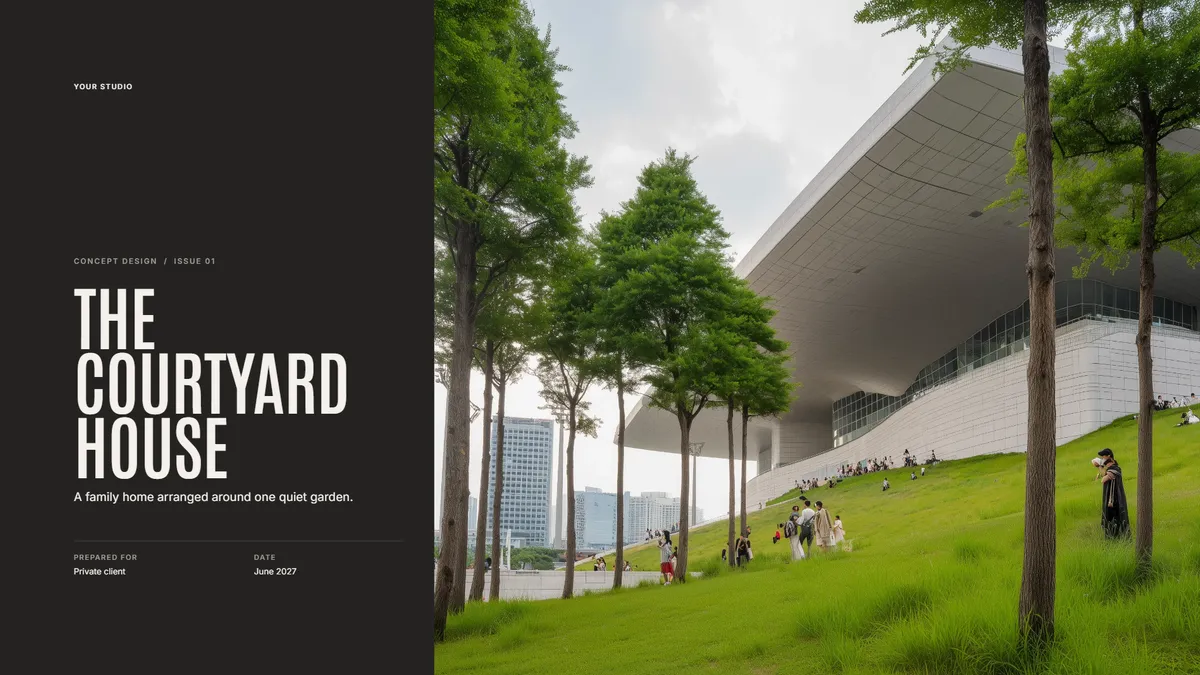
Concept Design Presentation
Walk a client through the site, the big idea, and the first massing. Make a copy in Foveate and swap in your own project.
About the Author

Kitae Kim
Architect with 10 years of experience in design and client communication. Co-founder of Foveate, the pursuit and client experience platform for AEC firms. Former studio lead who saw too many winning designs lose to worse proposals.
More on presenting design work
Insights
Interactive Architecture Presentations vs. PDF Proposals: Which Wins More Work?
The architecture industry has defaulted to PDF proposals for decades. The firms winning the most competitive work have moved to interactive formats — not because they're flashier, but because they solve a fundamental information density problem.
How To
Client Presentation Mistakes Architecture Firms Make (And How to Fix Them)
Most losing presentations are not bad. They are well made and aimed at the wrong reader. Nine mistakes that show up repeatedly in architecture client presentations, why each one happens, and what to do instead.
How To
Interactive Storytelling for Architecture Firms: A Practical Guide
Interactivity is usually treated as decoration added after the argument is written. Used properly it is a structural tool: it lets several readers with different concerns each find their own path through the same submission without diluting it.
This article is part of our guide to presenting design work.
Explore Architecture Presentation Software