Present the work the way you designed it.
Drawings, renders, 3D, and video in one link clients explore on any device. Present it live on the call, collect markups on the slides, and see what held their attention.
Everything you present, in one link.
Present it live or let clients explore on their own time. Either way, every comment and every visit is recorded.
One link, every revision
Update the deck and the link stays the same, so nobody hunts for version 15 in their inbox.
Feedback with a record
Markups and comments stay on the slides, each with a name and a date.
Know what landed
See who opened it and which slides held their attention before you call.
Construction drawings, made client-ready.
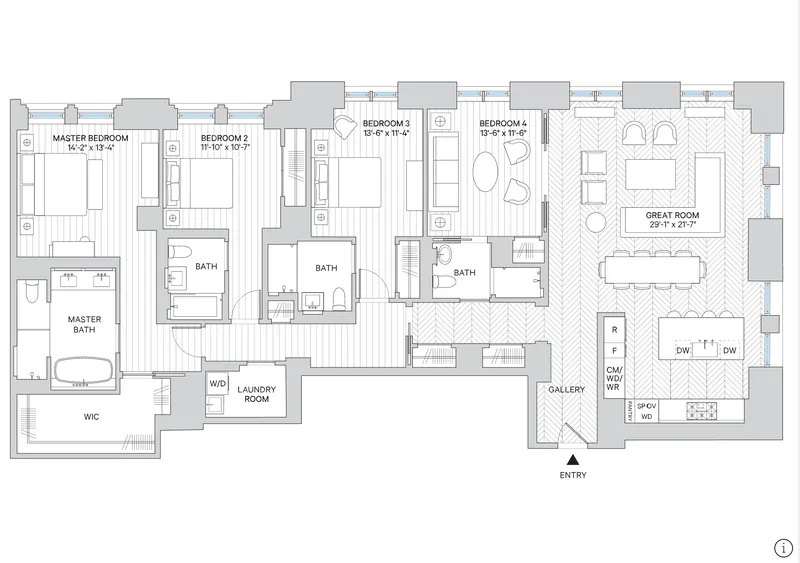
Bring plans and sections in as PDF, SVG, or Illustrator files and keep them as sharp vectors. Set the lineweight, ink, and paper so a CD sheet reads like a presentation drawing, without going back to Revit.
- Lineweight presets from hairline to bold, or as drawn
- Ink and paper colors that match the rest of the deck
- Pick the sheets you need from a full drawing set
Lineweight
Level 2 plan
Let them walk through it.
Put 3D models, Gaussian splats, 360 tours, and video right on the slide. Clients orbit the model or press play on any device, with no plugin and nothing to download.
- glTF and GLB models, splats, 360 tours, and your Foveate walkthroughs
- Matterport, Sketchfab, and Google Maps, live on the slide
- Video that streams at the right quality on any connection, including full-bleed backgrounds
Drafted in minutes. Refined by asking.
Drop in renders, drawings, and the brief, and Foveate drafts the deck on your template. Ask for changes across every slide, generate an image or a short fly-through from a render, and edit by hand whenever you'd rather.
- A first draft from your files and a sentence about the project
- Deck-wide edits by prompt, from restyling to rewriting a slide
- Images and video generated from your own renders






In the room and after it
The link keeps working after the call ends.
Present it live, then let the same link collect the markups and show you what the client went back to.
Present from the link they already have.
Go live, and everyone on the link can follow along on their own screen, a beat behind your voice. You see who's following, and the presenter view keeps your notes and your time in front of you.
- Clients follow your slides on their own device during the call
- See who's following, by name
- Speaker notes, a talk timer, and rehearsed slide timings


4 / 12
Presenting live· live for 4 min2
Priya Shah and Tom Becker are following along.
Markups that stay on the slide.
Clients, consultants, and your team pin comments, draw on the slide, and leave video notes, with no account to make. Mark a comment resolved and the history stays, so there's a record of what was asked for.
- Pins, pencil markup, screenshots, and video notes
- Your team's comments kept apart from client feedback
- Each viewer sees only their own feedback, or the whole group's



Context
Site and arrival
Level 2 plan

2 hours ago

20 minutes ago
 Drawing on this slide
Just now
See what held their attention.
Know when the link is opened, who opened it, and how long they spent on each slide. Then ask Foveate to read the room, flag likely objections, or draft your follow-up.
- Opens, unique viewers, and time on each slide, per person
- A note the moment they open it
- Ask what to change, how to follow up, or what they're really saying
 Sarah A.Decision Maker
Opened 3 times · Most time on Fee and schedule
14min Markus R.Sponsor
Opened twice, last on Tuesday · Most time on Phasing
9min Dinesh K.Influencer
First opened today · Most time on 3D walkthrough
4min
“Can we walk the board through option B before Thursday?”
The details that hold up in front of a client.
Design options side by side
Carousels let a client click through options and variations without leaving the slide.
Callouts
Point to a detail with a leader line and a caption, styled to match the deck.
Ask the Deck
Clients ask the presentation a question and get an answer that cites the slide.
A PDF that links back
Export a PDF whose links open the live version, for portals that require a file.
Print at full size
Set the page from A4 up to ARCH D 24×36 and print at 300 dpi.
Private links
On Pro, add a password, an expiry date, or a name check before anyone views.
Send and remind
Email the link from Foveate, remind anyone who hasn't opened it, and keep a log of every send.
Your brand, set once
Templates, masters, fonts, and colors live in your Library, ready for every presentation the team makes.
See Library →
Make every design proposal the start of a partnership.
Start free with 200 credits. Pro is $39 per person a month, billed annually. Or bring a pursuit you're running now and we'll walk it through with you.