The PDF solved a real problem. It made a document look identical everywhere, on any machine, forever. For a set of construction documents or a contract, that is exactly right, and nothing should replace it.
The trouble is that most firms also use it for the proposal, which is a different job. A proposal is not a record. It is an argument, made to a group of people you cannot see, over a period of weeks. The PDF is a poor instrument for that, and the reasons are specific.
What the PDF actually costs you
Version control disappears at send. The moment it leaves your outbox there are two versions: yours and theirs. Revise the fee and the client may still be reading last week's number. There is no way to correct it other than sending another file and hoping they open the right one.
File size fights the content. Renderings at print resolution produce a 60 MB attachment. Corporate mail servers reject it, so you compress the images, and the work that was supposed to sell the project now looks worse than it is. Or you send a download link, which adds a step where people fall off.
You learn nothing. A file is silent. It cannot tell you whether it was opened, by whom, which sections held attention, or that it was forwarded to a stakeholder you have never met. Every follow-up is therefore a guess, which is why so many of them read "just checking in."
Buildings are three-dimensional and the page is not. You designed a space that people move through, and you are describing it with fixed viewpoints someone chose in advance. The client cannot look where they want to look.
It gets compared to everyone else's. Four firms submit four PDFs. They are read on the same screen, in the same format, one after another. In that context the differences that decide the outcome are the ones that survive flattening, which tend not to be the ones you are proudest of.
The alternatives, honestly assessed
1. Interactive web proposals
Instead of attaching a file, you send a link to a page that holds the whole proposal.
Fixes: version control, file size, engagement data, and the flat-page problem all at once. There is one live version. Nothing is downloaded. The link reports who opened it and what they read. Video, 3D, and imagery sit inline at full quality.
Costs: you need connectivity to view it, and some procurement processes still demand a static document of record. The good implementations export a PDF on demand for exactly that reason.
Use when: the pursuit matters, there is more than one decision-maker, and you want to know what happened after you sent it. This is the category Foveate is built for, and it is worth comparing against PowerPoint and InDesign if those are what you use today.
2. Browser-based 3D
The model itself becomes part of the proposal, explorable in the browser with nothing to install.
Fixes: the dimensionality problem specifically. The client moves through the space rather than looking at someone else's chosen views.
Costs: an export step. Browser viewers read web formats such as glTF and GLB, so a Revit or Rhino model has to be exported first. The export workflow is straightforward but it is a real step, and file size needs managing or the model loads too slowly to be explored.
Use when: the spatial experience is the argument. Adaptive reuse, complex circulation, anything where a plan and three renders genuinely undersell the work.
3. Video walkthroughs
A rendered fly-through, sometimes with narration.
Fixes: the flatness, and it travels well. Anyone can watch a video.
Costs: it is linear. The viewer cannot look where they want, and cannot skip to the part they care about. It also dates quickly, since re-rendering after a design change is expensive.
Use when: you want to control the sequence precisely, or the audience will watch passively in a room together.
4. Slide decks shared as links
PowerPoint, Keynote, or Google Slides shared by link rather than attachment.
Fixes: version control and file size, cheaply. You already own the software and know how to use it.
Costs: you still get almost no engagement data, the format is still a sequence of flat pages, and 3D still arrives as images. It is a partial fix.
Use when: budget or process makes a dedicated tool impractical and you just need to stop emailing attachments.
5. Design-side rendering tools
Enscape, Twinmotion, and similar tools produce the imagery.
Fixes: visual quality, substantially.
Costs: these are not delivery tools. They make the pictures. Getting the result in front of a committee and understanding what they did with it is a separate problem. Worth reading the Enscape and Twinmotion comparisons if you are weighing these against a proposal platform, because they are complementary rather than competing.
When the PDF is still the right answer
Being honest about this matters more than pushing an alternative.
- Public and institutional procurement. Many RFPs mandate a PDF submitted in a specific format, page count, and order. That is not negotiable, and no amount of interactivity changes it.
- The document of record. Contracts, fee agreements, and anything that may be referenced in a dispute should be static and archivable.
- Offline review. A client reviewing on a plane needs a file.
- Very small pursuits. For a modest project with one decision-maker, a PDF and a phone call is proportionate. Not every job needs instrumentation.
The practical position for most firms is not to abandon the PDF. It is to stop letting the PDF requirement dictate how you present to everyone else. Lead with the interactive version, export the static one when the process demands it, and keep both from a single source so they cannot drift apart.
How to choose
Ask three questions.
Who is going to read this? One person, or a committee where several people you have not met will form an opinion? The more people involved, the more the engagement data is worth.
Does the work depend on spatial understanding? If a plan and three renders genuinely tell the story, a well-made document is fine. If they do not, that gap is costing you.
Do you know why you lose? If your firm cannot answer that with evidence, the tracking is worth more than the visuals. Knowing that procurement spent nine minutes on fee and nobody opened the design narrative changes what you do next, and eventually changes what you put first.
Frequently Asked Questions
Q: What is the best alternative to a PDF proposal?
A: For most architecture firms it is an interactive web proposal delivered as a link, because it fixes version control, file size, and the absence of engagement data in one move. Browser-based 3D is the strongest addition when the spatial experience is central to the argument.
Q: Will clients be annoyed by a link instead of a file?
A: In practice, rarely, provided the link opens instantly with no login and no install. Friction is what annoys people, not the format. The usual approach is to lead with the link and offer a PDF alongside it for anyone who wants one.
Q: What if the RFP requires a PDF?
A: Then submit a PDF. Use a platform that exports one from the same source as the interactive version, so the two cannot fall out of sync. Treat the PDF as a compliance deliverable and the interactive version as the thing that actually persuades.
Q: Do interactive proposals work on mobile?
A: A well-built one does, which matters because a meaningful share of first opens happen on a phone. This is worth testing before you commit to any tool.
Q: Is this just a rebranded slide deck?
A: No, though a badly implemented one can be. The meaningful differences are real 3D the viewer can navigate, a single live version rather than a distributed file, and per-viewer engagement reporting. Without those it is a deck with extra steps.
Related Reading:
Weighing your options?
See exactly how Foveate stacks up
Full side-by-side comparisons against PowerPoint, InDesign, Enscape, Twinmotion, and the rest of the stack most firms already use, including when each one is still the right call.
View all comparisons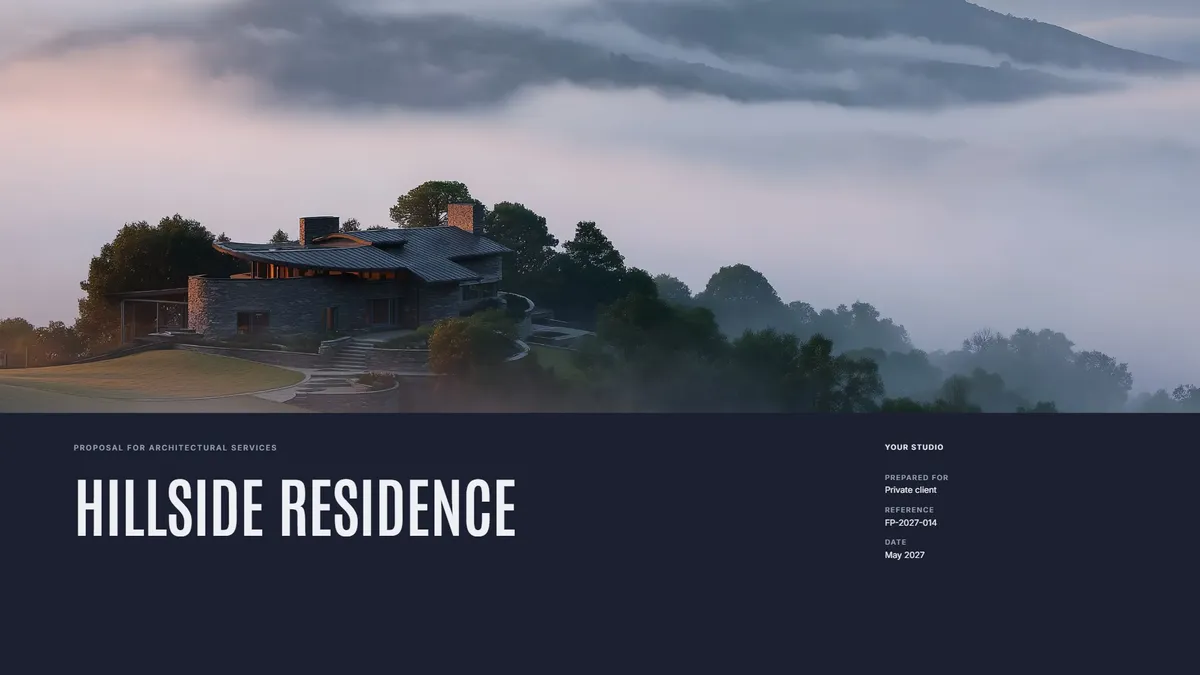
Free template
Fee Proposal
Scope, phases, and fees laid out clearly, with your work beside them. Make a copy in Foveate and swap in your own project.
About the Author

Kitae Kim
Architect with 10 years of experience in design and client communication. Co-founder of Foveate, the pursuit and client experience platform for AEC firms. Former studio lead who saw too many winning designs lose to worse proposals.
More on presenting design work
Insights
Interactive Architecture Presentations vs. PDF Proposals: Which Wins More Work?
The architecture industry has defaulted to PDF proposals for decades. The firms winning the most competitive work have moved to interactive formats — not because they're flashier, but because they solve a fundamental information density problem.
How To
What Architecture Presentation Tips Actually Win Projects?
Clients don't buy design. They buy confidence. Your presentation's job is not to show your work—it's to make clients believe you understand their problem, you can solve it, and working with you will be good.
How To
Client Presentation Mistakes Architecture Firms Make (And How to Fix Them)
Most losing presentations are not bad. They are well made and aimed at the wrong reader. Nine mistakes that show up repeatedly in architecture client presentations, why each one happens, and what to do instead.
This article is part of our guide to presenting design work.
Explore Architecture Presentation Software